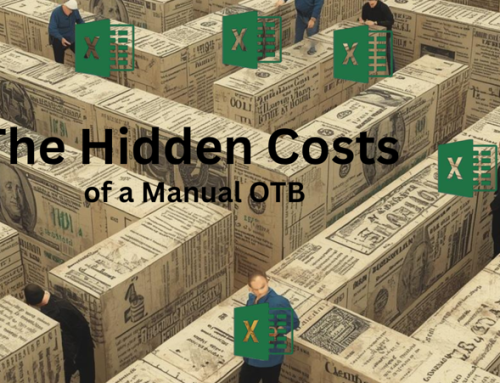






When Excel Becomes a Bottleneck: The Reality of Managing OTB in Today’s Business
For years, Excel has been the backbone of retail planning. It’s familiar, flexible, and—when used well—powerful. Many businesses still rely on it to manage critical processes like Merchandise Financial Planning (MFP), Open-to-Buy (OTB), and even Assortment Planning (AP).
Open to Buy is designed to be forward looking; continuously adjusting as actual sales, receipts, markdowns and inventory replaces portions of the plan.
But when the tool managing that calculation is slow, manual, and fragmented, OTB loses its ability to guide decisions in real time.
Which raises the uncomfortable question:
Is Excel still the right tool to manage your OTB?
The Reality of an Excel‑Based OTB
On paper, an Excel OTB looks straightforward.
In reality, maintaining it is anything but.
Most Excel OTBs are fed by multiple inputs:
- Sales reports
- Inventory snapshots
- Purchase orders and open receipts
- Margin and markdown summaries
That data is often:
- Generated in different systems
- Reported on different timelines
- Stored across multiple Excel files
- Reformatted manually before it can even be used
Every update requires manual intervention—copying, pasting, validating, recalculating.
The process works… until it doesn’t.
What Maintaining an Excel OTB Actually Looks Like
When I was a Director of Planning & Allocations, I hated Mondays!
My week always started by coming into the office early to generate multiple BI reports just to capture actuals. I’d export everything into Excel, then create data dumps or pivot tables to pull sales, markdowns, and on‑order figures—either week‑to‑date or month‑to‑date, depending on where we were in the month.
Then came validation.
I had to take the buyers’ assortment plans and cross‑reference them against purchase orders and pending receipts to make sure the file had been updated correctly—and that nothing was double‑counted.
Only after all of that could I start updating OTB actuals.
Once that was done, I still had to update the planned data.
A Monday where I could reconcile everything in three hours was considered a win—because it meant buyers could start reviewing numbers and making decisions ahead of Tuesday’s OTB meeting.
More often than not, though, I was stuck waiting for buyers to get out of the file because it hadn’t been updated the week before. This made the OTB task – an all-day process.
It was the definition of hurry up and wait.
I still remember walking a VP of Planning through the process. Halfway through, he told me he was having heart palpitations listening to how a 40‑year‑old company was managing its OTB.
Timeliness Is the First Casualty
Many Excel OTBs are still updated on a monthly cadence—a rhythm that worked when trends moved slowly and decisions followed a linear path.
That world no longer exists.
Today, businesses react weekly—sometimes daily. Sales trends shift quickly. Receipts are pulled forward or pushed out based on early reads.
When an OTB is built for monthly management but forced into weekly updates, friction is inevitable:
- Multiple manual recalculations
- Constant reconciliation to keep monthly totals intact
- Increased pressure during the most critical weeks of the season
By the time the numbers are refreshed, decisions have often already been made—without a clear view of remaining spend.
At that point, the OTB stops being a decision‑making tool and becomes a record of what already happened.
Manual Processes Mean Higher Risk
Every manual step introduces risk.
In Excel OTBs, that risk often shows up as:
- Broken formulas during updates
- Links lost between versions
- Misaligned assumptions across files
- Inconsistent logic when multiple users touch the same sheet
Under time pressure, small errors compound quickly. What starts as a minor discrepancy can quietly affect buying decisions, inventory exposure, and cash flow.
The more frequently the OTB needs updating, the greater the exposure.
Because Open to Buy governs decisions tied to such a significant financial investment, accuracy and control are critical. Even outside of retail, history has shown how costly breakdowns in financial controls can be. In the well‑known London Whale incident, JP Morgan Chase lost more than $6 billion, with manual spreadsheet errors cited as a contributing factor. While retail inventory planning looks different on the surface, the underlying risk is the same: when high‑value financial decisions rely on manual processes, even small errors such as copying and pasting into an Excel spreadsheet can have outsized consequences.
The MFP–OTB Dependency Problem
Excel‑based OTBs are also tightly—and painfully—dependent on the latest MFP.
Any time the MFP changes due to:
- Revised sales forecasts
- Margin pressure
- Inventory risk
- In‑season performance shifts
…the OTB has to be reworked.
That usually means:
- Revising receipts
- Rebalancing months
- Rechecking formulas and totals—again
Each iteration consumes more time and introduces more risk. Instead of supporting decision‑making, the process becomes reactive and resource‑intensive.
OTB Shouldn’t Be a Separate Exercise
Conceptually, OTB is simple:
- What you planned
- What’s already happened
- What’s still open to spend
But when OTB lives in a separate Excel file, disconnected from in‑season performance, it can only respond after the fact.
When OTB is embedded within the in‑season MFP:
- Sales updates automatically recalculate available spend
- Receipt changes flow through immediately
- Scenario planning becomes faster, cleaner, and more controlled
Instead of rebuilding spreadsheets, teams can focus on decisions.
Why Are So Many Businesses Still Using Excel?
The answer isn’t ignorance—it’s history.
Excel solved problems when systems couldn’t. Teams built processes around it, refined them over years, and learned how to work around its limitations.
But flexibility without automation comes at a cost.
Today, the greater risk isn’t changing tools—it’s continuing to rely on processes that can’t support the speed and complexity of modern in‑season planning.
What the Bottleneck Is Really Costing You
Excel isn’t the reason OTB breaks down.
The real issue is that Open to Buy was designed to be dynamic, continuously recalculated, and shared—while the processes supporting it are static, manual, and fragmented. As in‑season decisions accelerate, that mismatch becomes harder to ignore.
But the most dangerous impact of manual OTB isn’t friction—it’s what that friction hides. The cost shows up in delayed decisions, misallocated effort, rising risk, and opportunities that quietly pass by. And those losses are far harder to see than a broken spreadsheet.

Related Product
daVinci Merchandise Planning
daVinci Retail’s merchandise planning solution enables retailers to build strategic financial plans which guide buy decision-making to deliver sales and margin goals.